DESKTOP
Keep an eye on your PC
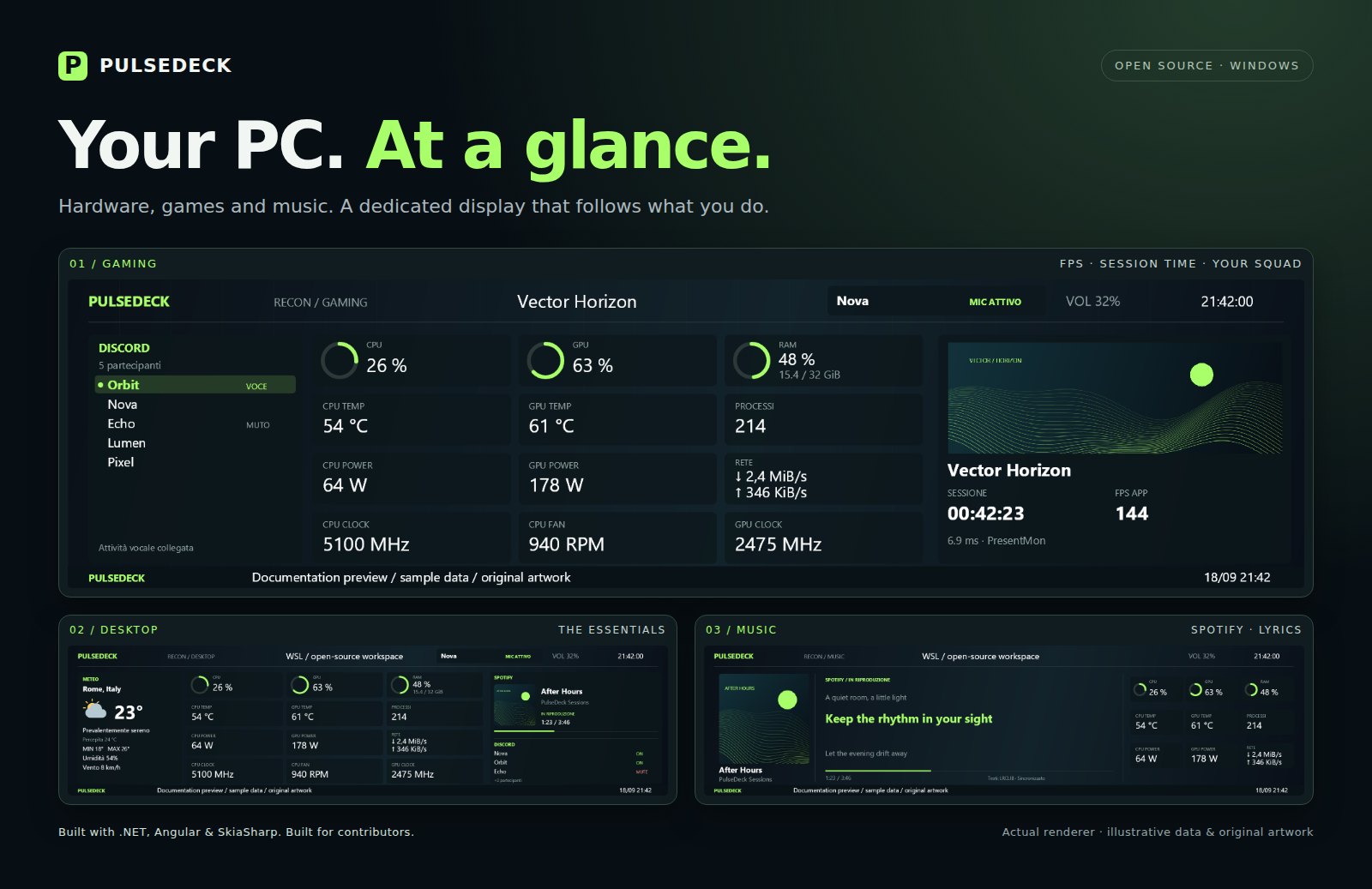
Real sensor values, temperatures, network activity, weather and optional notifications. Arrange values, bars and rings in the local configurator.
Set up your display →LOCAL WINDOWS DASHBOARD · TURZX 8.8″
Hardware, music and games on a dedicated display. Make room for what matters, with a live preview and colors that follow your PC.
Source snapshot v0.10.3 · Updated 6 October 2026. Downloaded releases may contain earlier features.
DESKTOP
Real sensor values, temperatures, network activity, weather and optional notifications. Arrange values, bars and rings in the local configurator.
Set up your display →MUSIC
Spotify artwork, synchronized lyrics and progress. Choose nine widgets or three above a real audio spectrum isolated to the player.
Music integration →GAMING & AURA
Game profiles, session timers and Discord activity. Optional passive Aura Sync reception brings multiple colors to accents, lyrics and spectrum bars.
What works and what’s next →No PulseDeck account or central backend. Optional integrations contact their own services; settings and encrypted credentials stay on your Windows PC. Gmail reads metadata for unread counts and arrival notifications, without reading message bodies or attachments.
Read the privacy policy →Tested with TURZX 8.8″, 1920 × 480, chs_88inch.dev1_rom1.90. Browser animation and USB delivery run independently: about 10 fps in the preview, about 4 fps on the verified panel. Internal video playback is experimental.
v0.10.3 adds album names and release years alongside artists, with scrolling for long track titles and metadata. It builds on the Spotify spectrum, manual brightness and live preview from v0.10.0. Higher USB refresh and video overlays remain research tasks.
Development notes → · Playback investigation →