Publishing PulseDeck on GitHub
This is the maintainer's launch checklist. The repository already uses GPL-3.0-or-later; keep the license and upstream notices intact. Preparing files and packages does not itself change GitHub visibility or publish a release.
Current source snapshot: 0.10.3, updated 2026-10-17. Its notes describe development work, not an already published archive or tag.
Repository presentation
Suggested About description:
A Windows companion for TURZX displays: hardware telemetry, gaming sessions, Discord and Spotify in one contextual dashboard.
Suggested topics:
windows, turzx, hardware-monitoring, sensor-panel, dashboard, dotnet, angular, skiasharp, discord, spotify, open-source
Upload docs/images/social-preview.png as the repository social preview. The README already includes the project cover and three layouts. The gallery describes provenance and reproduction.
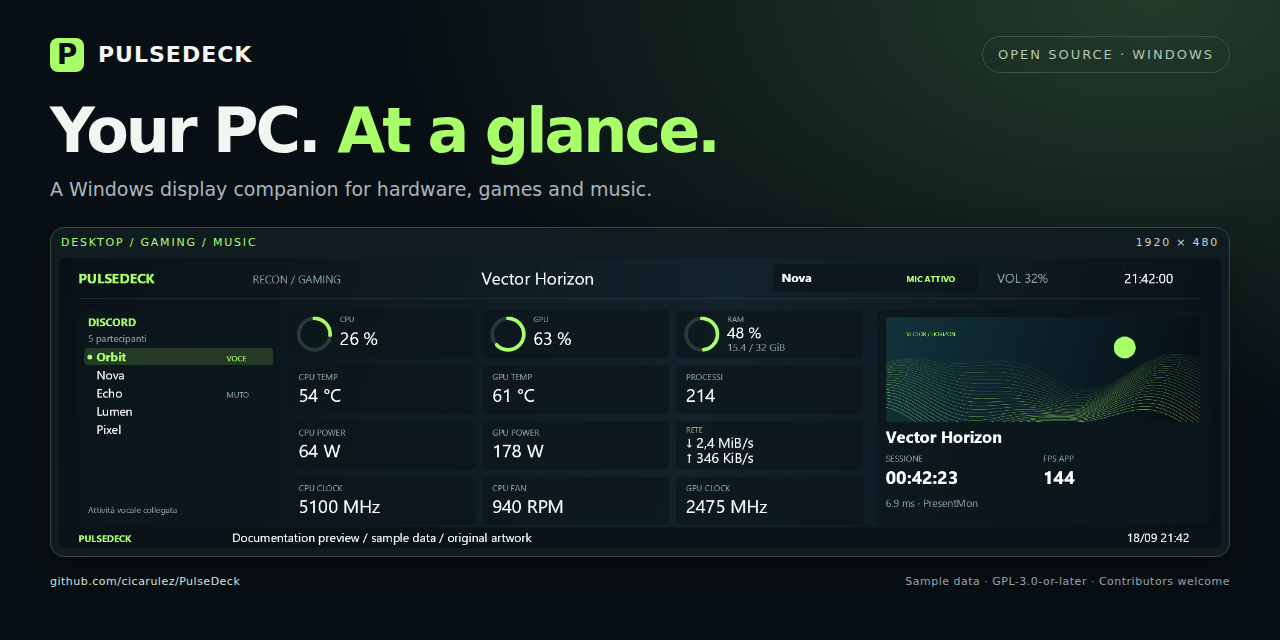
Enable Issues for the included bug/feature forms. The contribution and conduct files are at the repository root. Enable private vulnerability reporting before relying on the private report form in SECURITY.md; that document includes a fallback while it is unavailable.
Visibility
An owner can change repository visibility from PulseDeck settings, under Danger Zone → Change repository visibility. GitHub documents the exact steps and consequences in Setting repository visibility.
Making an existing repository public exposes its history, not just the latest files. Review tracked files and prior commits for secrets, personal diagnostics and third-party assets. The initial preparation checked 632 historical Git blobs for common private-key, GitHub/Discord token and AWS-key patterns with no matches; this targeted scan is not a guarantee that every possible secret format is absent. Public screenshots use generated fixtures rather than user data.
The first public introduction should link to the README, gallery, setup guide and a few bounded roadmap tasks. Create good first issue labels/issues only for work that is actually scoped; do not imply contributors or compatibility that have not been established.
Build and review a release
- Update the agent/configurator version consistently and add
docs/releases/vX.Y.Z.md. - Run
scripts/build.shorscripts/build.ps1from a clean checkout. Review the Windows package and record applicable integration validation. - Commit the exact source being packaged. For a local review archive:
sh
   python3 scripts/package-release.py --tag v0.10.3
This creates a Windows ZIP, a corresponding-source ZIP and SHA256SUMS under ignored artifacts/release. It does not create a tag or upload anything. The output directory must be empty so files from different versions cannot be mixed. Version metadata is checked; a fresh build remains necessary to establish same-version source parity.
- Once the commit is ready, create and push the matching tag:
sh
   git tag -a v0.10.3 -m "PulseDeck 0.10.3 public preview"
   git push origin v0.10.3
- In GitHub Actions, run Prepare draft release with that existing tag. The workflow validates the version, rebuilds/tests the tag and creates a draft prerelease with archives, source, checksums and the version's release notes.
- Review the draft and downloads, then publish it from GitHub. Keep early development builds marked prerelease until support expectations change.
The workflow deliberately does not publish automatically on every commit or tag. It requires repository Actions permissions, a valid existing tag and the checked-in release-notes file. An existing release with the same tag causes creation to fail rather than replacing its files.
For the documentation website, follow site setup. Its build generates HTML from repository Markdown; the Pages workflow also runs on documentation changes.
Verify the public result
- Open the repository while signed out: README, gallery and local links should work.
- Check that the social preview is legible and the images are marked as illustrative.
- Confirm that the release contains the complete application, notices and source, and that its checksum file matches the downloads.
- Test the setup guide on a separate Windows account/machine when available; document unverified hardware instead of expanding compatibility claims.
The browser package and optional Electron wrapper are separate. The standard release workflow currently packages the agent plus browser configurator, not the Electron installer.